For Android
A Christmas live wallpaper for Android
Twinkle Lights turns your home screen into a little Christmas scene: the lights twinkle, snow falls if you like, all behind your apps. Over a painted picture, your own photo or a set of photos you pick.

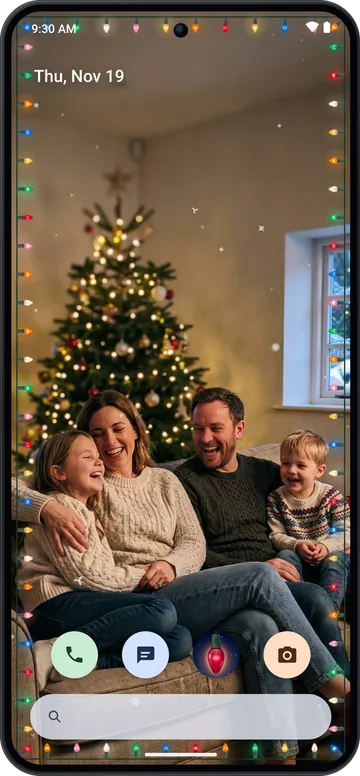
How it works
- Open Twinkle Lights and pick a season, a picture and the weather you like.
- Tap the screen, then Set as Live Wallpaper.
- Confirm in Android’s preview and pick the home screen, or the lock screen too where your phone offers it.
- Go to your home screen: the lights twinkle behind your apps.
Android sets the wallpaper. Some phones name the choices in its dialog a little differently.
Make it yours
Your photos
Hang the lights over one of ten painted pictures, your own photo or a set of photos you pick.
Christmas and every season
Christmas, Christmas figures, White winter, Halloween and more, with snow, leaves, petals or rain. You pick the season.
A countdown on your home screen
The Holiday Countdown widget counts down to Christmas on your home screen.
A quick switch
The Twinkle Lights tile in Quick Settings hides the lights for a moment and brings them back.

Merry Christmas from your home screen